JFKTerminalGuide is not associated with JFK Airport or the Port Authority and provides helpful, verified travel information with full transparency.

JFK Airport WiFi: Free Internet Service Across All Terminals
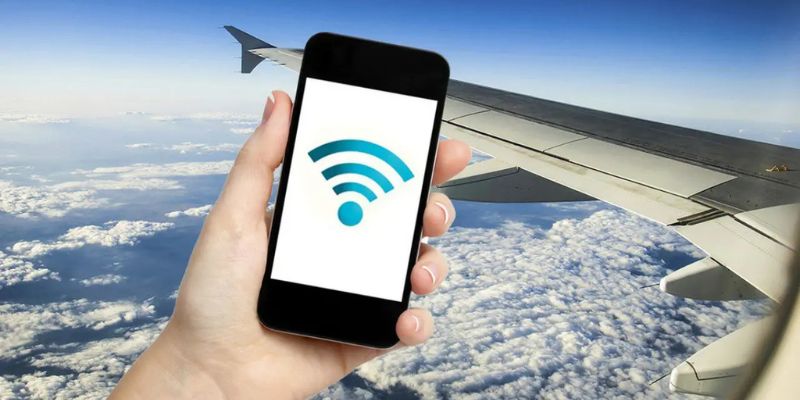
JFK Airport WiFi is free to connect, features unlimited access within the airport premises, and offers a speed of about 150 Mbps. It provides travelers with convenient and reliable internet access throughout the airport. Infact, the internet is available within all passenger terminals of the John F. Kennedy International Airport. This WiFi service helps passengers stay connected for work, entertainment, navigation, and real-time travel updates. The given travelogue covers the complete nitty- gritty about the JFK WiFi, its coverage, login steps, troubleshooting steps, and more. Here it goes!
Does JFK Airport Have Free WiFi?
John F. Kennedy International Airport features free WiFi in JFK Airport, which was launched back in 2024. Recently upgraded to Bpoingo updates for better 5G integration, and the airport authorities do not charge for this WiFi access. However, all sessions of 4 hours further need a reconnect for seamless internet access. What’s best is that flyers get multilingual support on the login platform.
| Features | Details |
| Cost | Free |
| Data Cap | Unlimited |
| Session Time | 4 hours (unlimited renewals) |
| Network Name | Free JFK WiFi (underscore required) |
| Support Line | (800) 880-4117- 24 hours |
WiFi Coverage and Availability Within JFK Airport Terminals
Notably, the John F. Kennedy International Airport covers about 99% of its public areas, like boarding gates, dining areas, and also the AirTran Stations. This is to mark that there are about 5000 access points for assured internet connectivity before boarding at the airport. All users have reported solid signals within the central zones, but signals are weak near the walls. Furthermore, travelers would notice dim internet connectivity during peak travel hours due to network congestion.
| Terminal Name | Hub for | Details |
| Terminal 1 | Delta Airlines | JFK Terminal 1 features the most secure WiFi connections with full signals, and suits long-haul travelers. |
| Air France | ||
| Terminal 2 | High-speed internet is available at John F. Kennedy Airport Terminal 2. But there are glitches around baggage drop zones during peak hours, and the core coverage is stable. | |
| Terminal 4 | Flyers can access Free WiFi JFK Airport Terminal 4 with an average speed of 160 Mbps, yet there is reported occasional network congestion during peak hours. | |
| Terminal 5 | JetBlue Airlines | Likewise, JFK Terminal 5 is also equipped with high-speed internet access within its lounges. |
| Terminal 7 | United Airlines | Terminal JFK 7 WiFi access is steady, and the upper levels are generally less crowded, so the connectivity is seamless. |
| British Airways | ||
| Terminal 8 | American Airlines | Lastly, the JFK Airport WiFi Terminal 8 offers one excellent WiFi option with coverage to Admirals Club’s private pods for added privacy. |
Insider Tip: The JFK Airport has no official WiFi coverage map, but flyers can use the John F. Kennedy Airport app to check the real-time WiFi strength.
Steps to Connect to Wifi Service at John F. Kennedy Airport
All users can connect to an iOS device or Android, and this would simply take a minute. Now, search for the JFK Airport network name and adhere to the given steps:
- Enable WiFi and select the network Free JFK WiFi.
- Now, open the browser, and the portal loads automatically.
- Accept the terms to connect to the JFK network, and it is done!
Travel Tip:
- Please note that the JFK Airport WiFi login page uses HTTPS, where the page loads automatically.
- If the login page does not open automatically after connecting to the network, manually open the browser and visit: freeJFKwifi.com.
Speed Test of JFK Airport WiFi (Ookla Q4 2025–2026)
Before connecting the devices to the airport’s free wireless network, it is better to be aware of what level of performance you can expect. For this reason, the Ookla Q4 2025–2026 Speed Test provides a quick glance of JFK Airport Wi-Fi performance by analyzing its download speed, upload speed, and latency across different terminals.
All these insights help travelers determine if the WiFi in JFK Airport is suitable for activities such as web browsing, video streaming, virtual meetings, or downloading important files while waiting for their flights.
- Average speeds:
151 Mbps download
1312 Mbps upload - Peak congestion (6–9 AM, 4–7 PM):
Speeds drop to 80–120 Mbps
50,000+ users connected - Central JFK Gate areas:
Speed hits up to 200 Mbps - Edge of Terminals:
Speeds decrease to around 50 Mbps
| Period | Download Speed (Mbps) | Notes |
| Off-Peak | 25 Mbps | Best for 4K streams |
| Peak | 151 Mbps | Best for emails and calls |
| Lounge | 151 Mbps (Premium options available) | N/A |
What to do When JFK Airport WiFi is not Working?
During peak travel hours, 20% of users would experience travel issues while accessing WiFi at the John F. Kennedy Airport. The most general issue is that the login pages take too long to load, or they might not even open. In such a case, travelers can try some of the troubleshooting steps, which are as follows:
- Forget the network and reconnect.
- Clear the cache or log in in incognito mode
- Relocate to open areas or central zones of the terminals.
- Disable VPN, if installed.
With this, it is quite clear that the John F. Kennedy International Airport free WiFi offers the most reliable option for all travelers to stay connected with their loved ones. Launched back in 2024, the free internet services ensure unlimited access within all three terminals of the airport. Infact, the internet service is accessible from boarding gates to lounges and even to the public transit areas. Hope that by now you must have got your answer to does JFK Airport have free WiFi or not? Yet, if there are any doubts or questions, just connect with the travel experts for quick help.
Common Qs & As
Yes, the John F. Kennedy Airport provides free and unlimited WiFi access to the flyers across all the passenger terminals.
To access the internet, enable WiFi, select _Free JFK WiFi, open your browser, accept the terms, watch a short ad if prompted, then connect.
Yes, the free internet connectivity at the JFK Airport is compatible with gaming platforms like PlayStation Portal.
John F. Kennedy Airport WiFi offers better speed and coverage compared to LaGuardia International Airport.
No, vaping is strictly prohibited within the terminal premises of John F. Kennedy International Airport and can incur penalties.